ACP Runners: From Text Pipes to Agent Protocols

In the previous blog post, we introduced CLI Runners — a way to use your existing AI subscriptions (Claude Pro, Copilot, Gemini, etc.) directly inside IntelliJ by piping prompts to external CLI tools. CLI Runners solved the "double-paying" problem, but they communicate through plain text over stdin/stdout. That works, but it's a bit like having a conversation by passing notes under a door.
ACP Runners open that door. Instead of unstructured text, they use the Agent Communication Protocol — a structured, bidirectional communication layer built on JSON-RPC 2.0 — to turn your IDE into a proper agent hub.
Why ACP?
CLI Runners are effective for one-shot tasks: send a prompt, get a response, done. But modern AI coding assistants are becoming agents — they don't just answer questions, they plan, execute, report progress, and coordinate. Plain text pipes weren't designed for that.
ACP addresses this with a proper protocol:
- Typed messages instead of raw text — the IDE knows whether it's receiving a code edit, a terminal command, or a status update
- Capability negotiation — at startup, the IDE and the tool agree on what each side supports
- Persistent processes — the tool stays alive between tasks, eliminating cold-start overhead
- Structured streaming — response chunks are typed and ordered, not just lines of stdout
Think of CLI Runners as walkie-talkies. ACP Runners are a phone call — two-way, structured, and always connected.
How It Works
DevoxxGenie spawns the ACP tool as a child process and communicates over stdin/stdout using JSON-RPC 2.0:
┌──────────────────┐  JSON-RPC 2.0   ┌──────────────────────┐
│  DevoxxGenie     │◀═══════════════▶│  ACP Tool            │
│  (ACP Client)    │  stdin/stdout    │  (Claude/Kimi/...)   │
└──────────────────┘                  └──────────────────────┘
        │                                      │
  1. Spawns process                   2. Handshake (initialize)
  3. Sends prompt via                 4. Streams structured
     ACP message                        response chunks back
  5. Receives completion              6. Process stays alive
     with metadata                      for next message
The protocol flow is straightforward:
- Initialize — DevoxxGenie sends an
initializerequest with its supported capabilities; the tool responds with its own - Send Prompt — The task prompt is sent as a structured ACP message
- Receive Response — The tool streams typed response chunks back — text, file operations, terminal commands
- Completion — The tool signals it's done; DevoxxGenie processes the final result and the process stays alive for the next task
No MCP config file generation needed. No stdout parsing heuristics. The protocol handles context natively.
Supported ACP Tools
DevoxxGenie ships with presets for five ACP-compatible tools, plus a custom option:
| ACP Tool | Executable | Description |
|---|---|---|
| Claude | claude-code-acp | Claude Code via the claude-code-acp bridge by Zed Industries |
| Copilot | copilot --acp | GitHub Copilot CLI in ACP mode |
| Kimi | kimi | Moonshot AI's coding assistant with native ACP support |
| Gemini CLI | gemini | Google's Gemini CLI with ACP protocol mode |
| Kilocode | kilocode | Kilocode's AI coding agent |
| Custom | (user-defined) | Any ACP-compatible tool |
Claude Code doesn't natively speak ACP yet, but Zed Industries maintains the claude-code-acp bridge that wraps it in an ACP-compatible interface. Install it with npm install -g @anthropic-ai/claude-code-acp and you're good to go.
Setting It Up
Setup is similar to CLI Runners — about a minute of configuration:
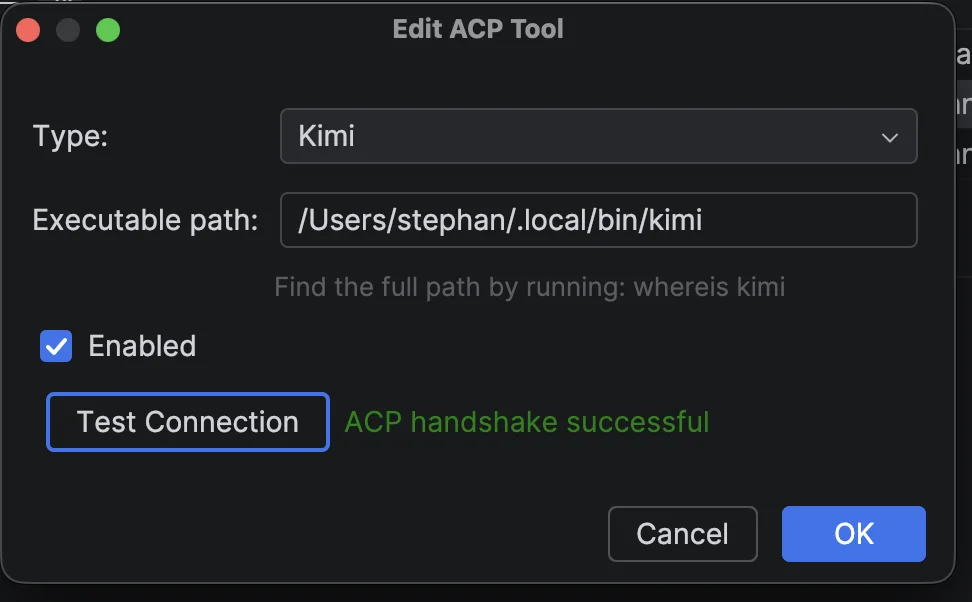
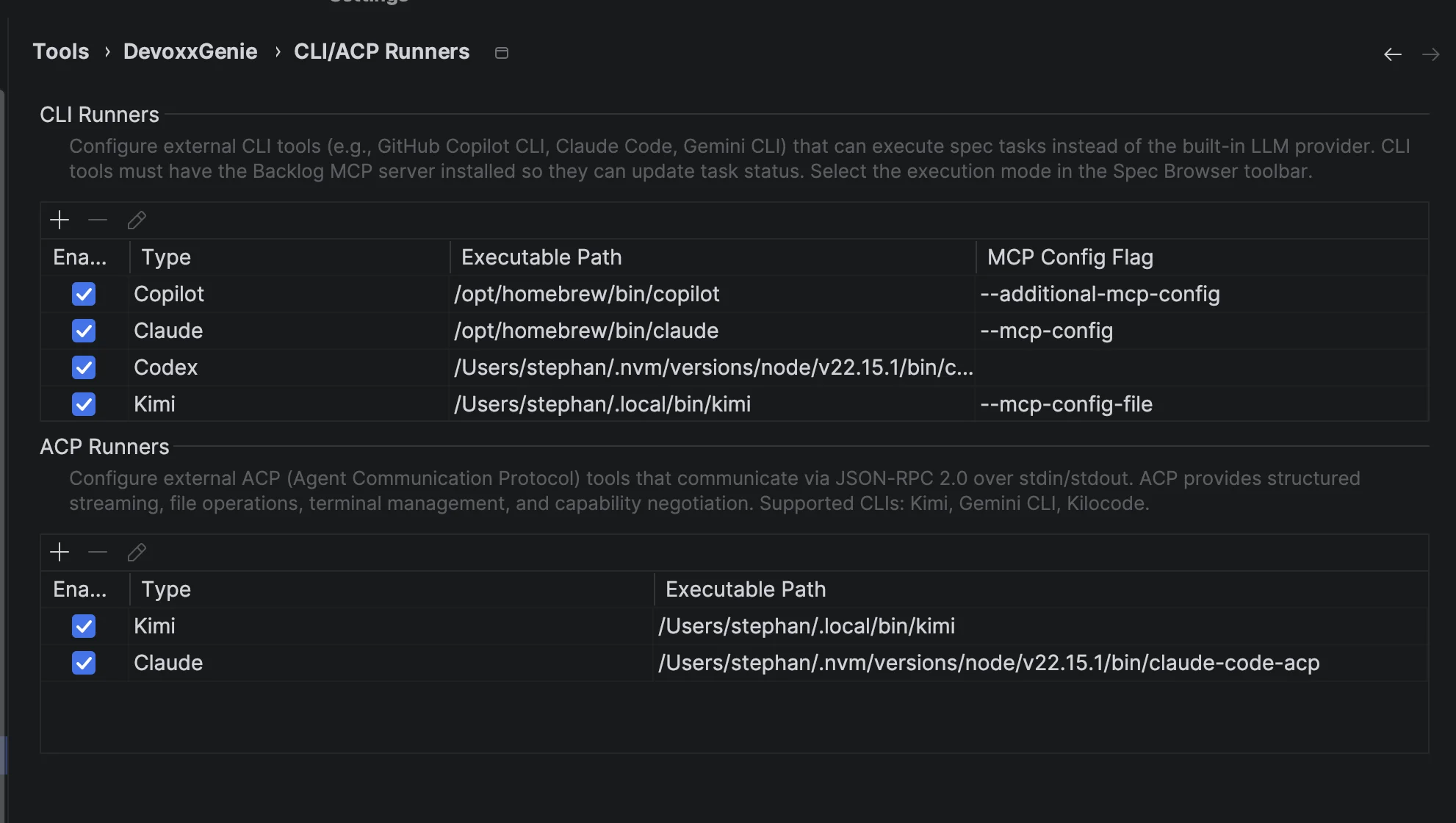
- Go to Settings > Tools > DevoxxGenie > CLI/ACP Runners
- Scroll to the ACP Runners section and click +
- Select a Type from the dropdown — the executable path fills in automatically
- Adjust the path if your tool is installed elsewhere
- Click Test Connection to verify the ACP handshake succeeds
- Apply and you're done
Selecting Your Runner
The DevoxxGenie Specs toolbar includes an execution mode dropdown where ACP runners appear alongside CLI runners and the built-in LLM provider:
ACP runners show up prefixed with ACP: — so you'll see entries like ACP: Claude, ACP: Kimi, and ACP: Gemini next to the existing CLI runner options. The selection persists across IDE restarts.
ACP vs CLI Runners: When to Use Which
Both runner types leverage your existing AI subscriptions. The difference is how they communicate:
| Feature | CLI Runners | ACP Runners |
|---|---|---|
| Communication | Plain text over stdin/stdout | JSON-RPC 2.0 over stdin/stdout |
| Protocol | One-shot process per task | Persistent process with structured messages |
| Streaming | Raw stdout stream | Typed response chunks |
| Capability negotiation | None | Handshake with capability exchange |
| MCP integration | Auto-generated MCP config file | Not required (protocol handles context) |
| Process lifecycle | Spawned and terminated per task | Stays alive for multiple interactions |
Use CLI Runners when you want the simplest setup, when a tool doesn't support ACP yet, or when you're running one-off tasks where the overhead of a persistent process isn't worth it.
Use ACP Runners when you want richer agent interactions, structured streaming, and the efficiency of a persistent connection — especially for multi-task workflows like the Agent Loop where the tool handles multiple tasks in sequence without restarting.
Note that Claude Code is available in both modes: as a CLI Runner (direct stdin/stdout) and as an ACP Runner (via the claude-code-acp bridge). Try both and see which fits your workflow better.
The Bigger Picture
DevoxxGenie's evolution follows a clear arc:
- Chat — talk to an LLM inside your IDE
- Agent Mode — let the LLM take actions on your codebase
- Spec-driven Development — define structured tasks instead of ad-hoc prompts
- CLI Runners — bring your own AI tools and subscriptions
- ACP Runners — structured agent-to-agent communication
Each step builds on the previous. ACP Runners don't replace CLI Runners — they extend them for tools that support the richer protocol. And as more CLI tools adopt ACP, the integration will only get deeper: proper progress callbacks, multi-turn coordination, and true agent-to-agent collaboration.
The AI coding landscape is converging on protocols and standards. ACP is one of the emerging ones, and DevoxxGenie is ready for it.
Getting Started
- Update DevoxxGenie to the latest version
- Go to Settings > DevoxxGenie > CLI/ACP Runners
- Add an ACP tool (try Claude via
claude-code-acpor Kimi) - Select it from the toolbar dropdown (look for the ACP: prefix)
- Run a spec task or start a chat session
Same subscriptions. Smarter protocol. Better results.
Links: