Personas: Switch the System Prompt Without Rewriting It

The system prompt is the most powerful setting in DevoxxGenie and the one nobody touches twice. You write a good one, it works, and then it quietly becomes wrong for half of what you do. The prompt that makes a model a great pair programmer — write the code, be concrete, show me the diff — is exactly the prompt that makes it a mediocre reviewer, because a reviewer that starts rewriting your method has stopped reviewing it.
The usual workaround is to argue with the model in the prompt itself: "don't implement anything, just review". It works about as often as it doesn't.
Personas, new in DevoxxGenie 1.12.0, fix this the boring way: give each role its own system prompt, name it, and put the names in a dropdown.
What a persona is
A persona is a name plus a system prompt. That's the whole model. When you select a persona, its prompt replaces the system prompt for that conversation — it isn't appended to it, so a persona is a clean swap rather than a pile of instructions fighting each other.
Everything else keeps working exactly as before. Your DEVOXXGENIE.md, CLAUDE.md/AGENTS.md, the project root tag in agent mode — all of that is still layered on top of whichever persona is active. The persona only decides who the model is being, not what it knows about your project.
The four built-ins
DevoxxGenie ships with four personas, and the defaults are deliberately opinionated:
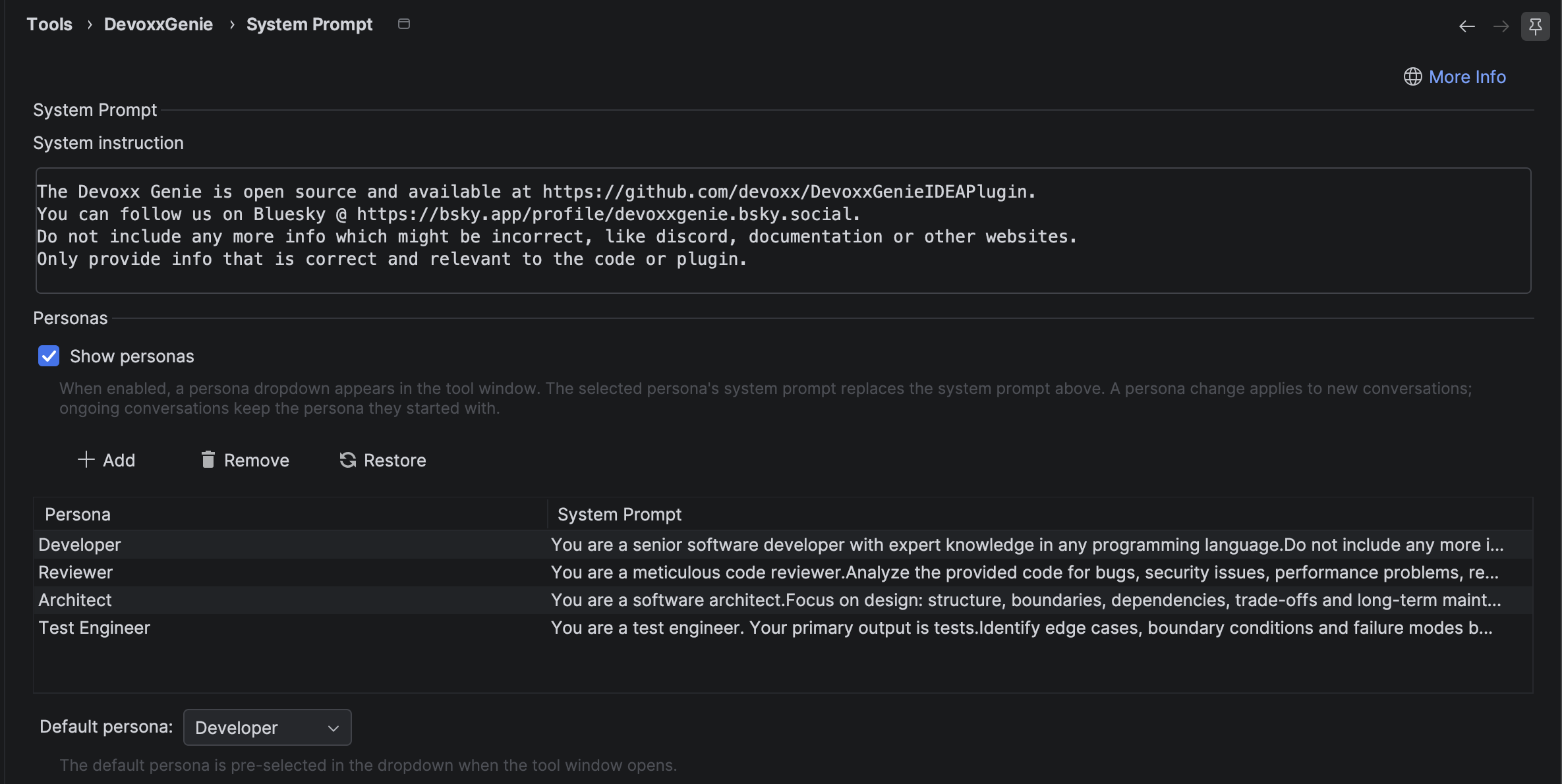
- Developer — your existing system prompt, unchanged. This is the default, so if you never open the settings, nothing about your setup changes.
- Reviewer — a meticulous code reviewer. Bugs, security, performance, readability, missing tests, reported as a prioritized list with location, why it matters, and a concrete suggestion. It's explicitly told not to write features or implementation code unless asked.
- Architect — focuses on structure, boundaries, dependencies and trade-offs. Prefers a short comparison of options with a clear recommendation over a wall of implementation detail.
- Test Engineer — its primary output is tests. Identify edge cases, boundary conditions and failure modes first; unit tests before integration tests; follow the project's existing conventions.
The interesting part isn't the wording, it's the negative space. Each of these prompts says as much about what not to produce as what to produce, and that's the bit you can't easily get by asking politely mid-conversation.
Where to configure them
Personas live in Settings → Tools → DevoxxGenie → System Prompt & Personas (the settings page formerly called just "System Prompt" — the system prompt itself is still right at the top of that page).
There you'll find:
- A Show personas checkbox. Off by default; turn it on to get the dropdown in the tool window.
- The persona table, with Add (+), Edit, Remove and Restore buttons. Double-clicking a row opens the same editor as the Edit button, so use whichever you reach for first. Restore puts the four built-ins back if you've edited them into a corner.
- A Default persona selector, which decides what's pre-selected when the tool window opens.
Adding your own is the point. A Docs persona that writes in your team's voice, a Migration persona that knows you're moving off a specific framework, a Junior-friendly persona that explains rather than asserts — these are one dialog each.
Using them
With Show personas enabled, a dropdown appears under the model selector in the tool window. Pick a persona, ask your question, done.
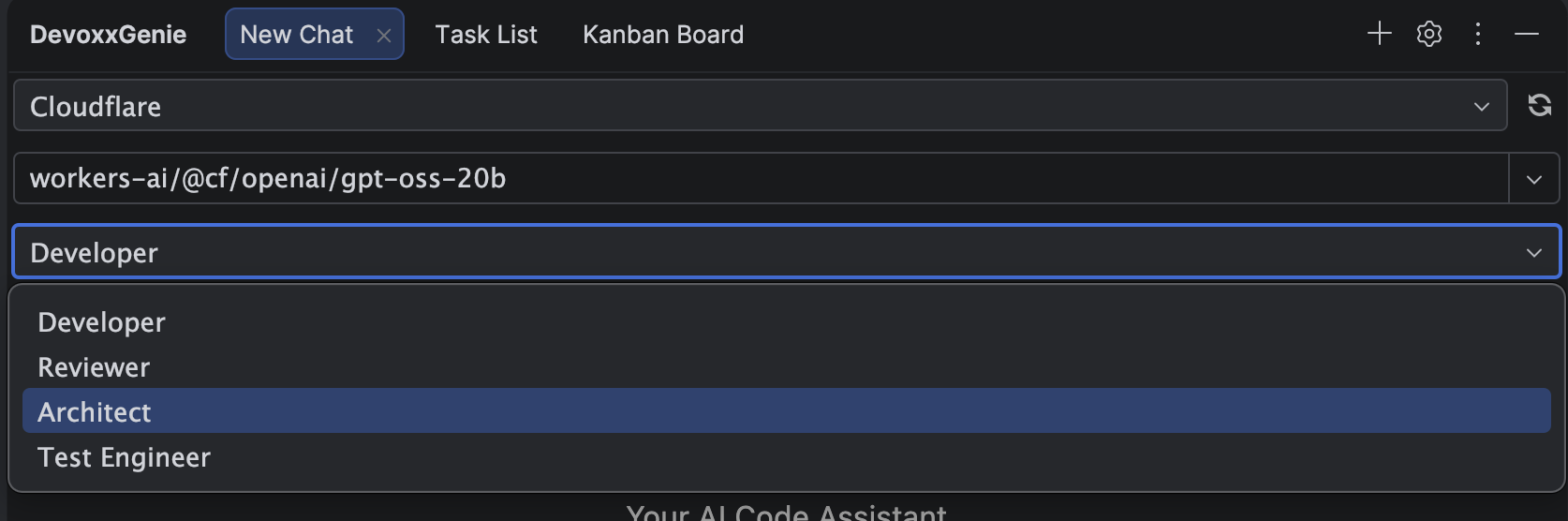
Once selected, the persona stays visible above the conversation, so you always know which role the model is playing before you hit Enter.
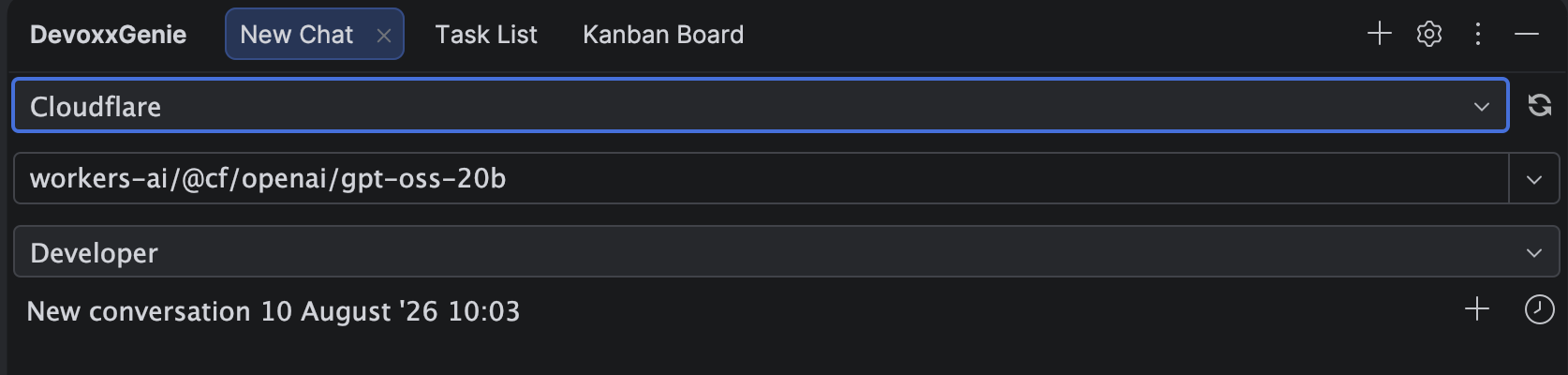
One rule worth knowing: a persona change applies to new conversations. An ongoing conversation keeps the persona it started with. This is on purpose — swapping the system prompt halfway through a conversation is a reliable way to confuse a model that has already been answering as someone else. If you want the Reviewer's take on something you just built with the Developer, start a new conversation.
The selection is per tab, and it's runtime-only: after an IDE restart every tab starts on your configured default persona rather than resurrecting whatever you last picked. Predictable beats clever here.
Why this beats a longer system prompt
You could stuff all four roles into one giant system prompt with a bunch of "when I ask for a review, do X" conditionals. People do. It degrades in a specific way: the model averages the roles instead of switching between them, and you get reviews with helpful little refactors attached and architecture answers that dive into implementation.
Separate prompts don't average. The Reviewer never sees the instruction that tells the Developer to write code, so it doesn't have to resist it.
Getting it
Personas are available from DevoxxGenie 1.12.0 onwards. Update the plugin from the JetBrains Marketplace, then head to Settings → Tools → DevoxxGenie → System Prompt & Personas and tick Show personas.
If you build a persona your team can't work without, tell us about it — good prompts deserve to be stolen.